

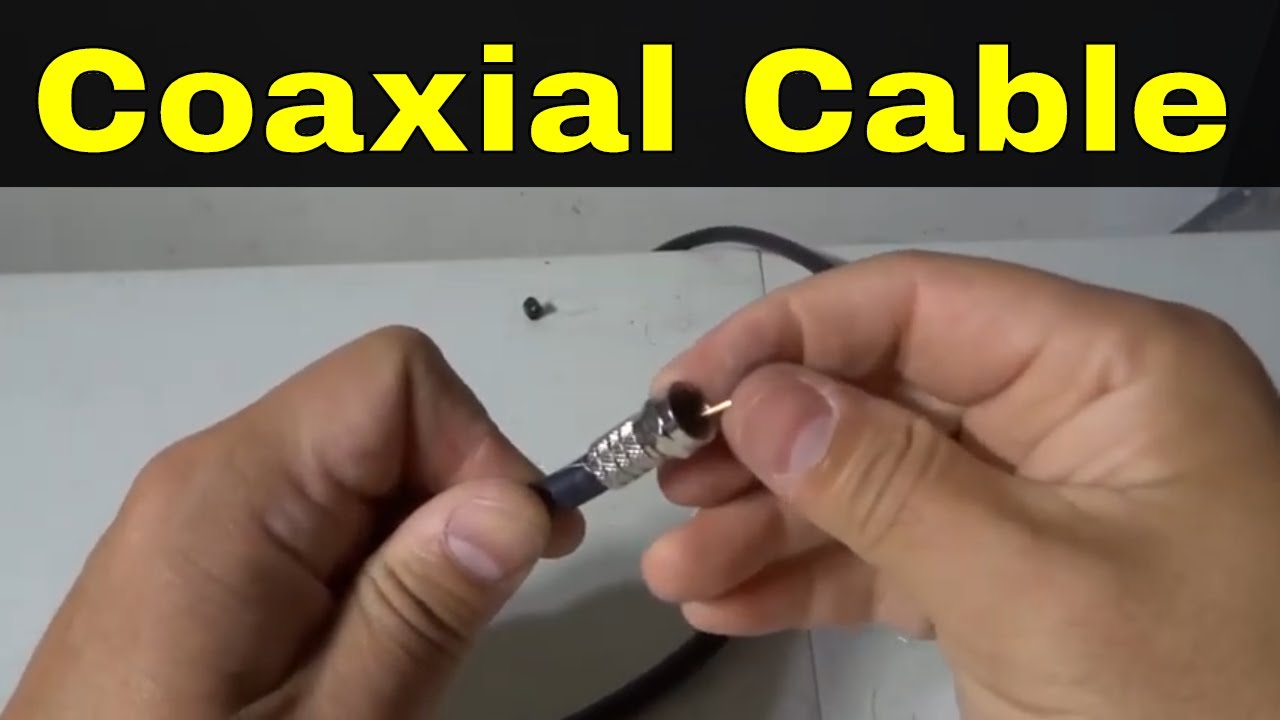
Are you looking to enhance your home entertainment experience? If so, understanding RG6 coaxial cable is essential. This versatile and reliable cable plays a crucial role in delivering high-quality audio and video signals. From satellite TV to internet connections, RG6 coaxial cable is the backbone of many systems.
Whether you’re setting up a new device or troubleshooting existing connections, knowing how to install RG6 coaxial cable effectively can make all the difference. With just a bit of guidance, you’ll be well on your way to optimizing your setup for crystal-clear clarity and uninterrupted service. Let’s dive into everything you need to know about this indispensable tool!
A Guide to Choosing the Right RG6 Coaxial Cable
Choosing the right RG6 coaxial cable is crucial for optimal performance. Start by considering the length you need. Longer cables can lead to signal loss, so measure your space carefully.
Next, look at the shielding options. A solid copper center conductor and quad-shielding will reduce interference significantly. This is especially important in areas with numerous electronic devices.
Also, consider cable flexibility. If you’re navigating tight spaces or corners, a more flexible option may be necessary.
Check compatibility with your devices as well; not all RG6 cables are created equal when it comes to connectors and fittings.
Don’t overlook brand reputation and user reviews. Quality often varies among manufacturers, so investing in a trusted name can save you time and frustration down the line.
How to Troubleshoot RG6 Coaxial Cable Issues
Troubleshooting RG6 coaxial cable issues can save you from unnecessary frustration. Start by checking for visible damage along the cable. Look for cuts, bends, or kinks that might impact signal quality.
Next, ensure all connections are tight and secure. Loose connectors can lead to signal loss or interruptions. If you detect interference, consider relocating any electronic devices near your coaxial setup.
You should also test with a different cable if possible. This helps determine whether the issue lies within your existing RG6 cable or elsewhere in your system.
Inspect your splitter or amplifier if you’re using one. Faulty components here can affect multiple feeds and degrade performance significantly. By methodically addressing each potential problem area, you’ll be on the path to restoring optimal functionality without much hassle.
Step-by-Step RG6 Coaxial Cable Wiring Instructions
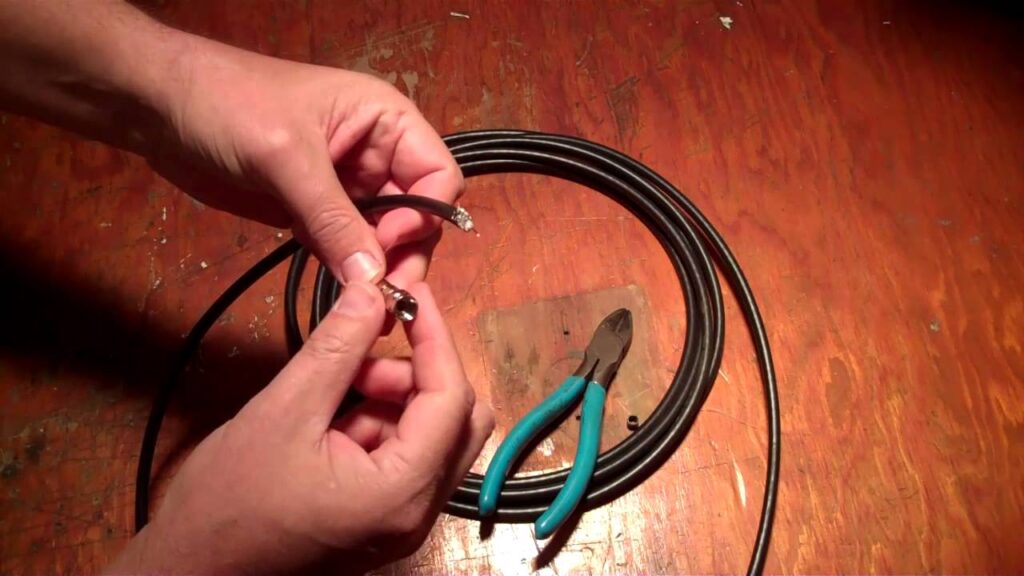
Wiring RG6 coaxial cable is a straightforward task. Start by gathering your tools: wire cutters, a stripping tool, and connectors.
First, measure the length of cable you need. Cut the RG6 to size with your wire cutters.
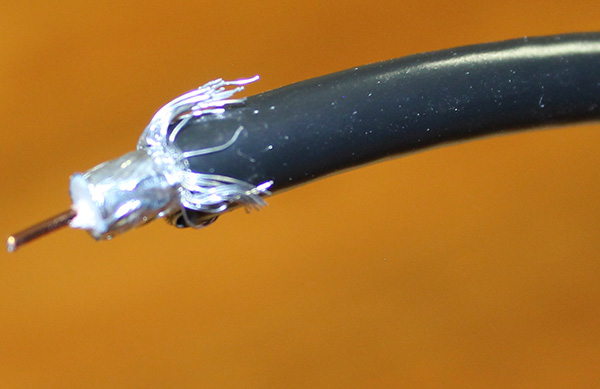
Next, strip about one inch of the outer insulation from both ends. Be careful not to damage the inner copper conductor or shielding.
Once stripped, carefully fold back the braided shielding towards the base of the cable to expose more core. Trim any excess strands for a clean finish.
Then, strip approximately half an inch off the dielectric insulation surrounding the center conductor. This will reveal enough copper for connection.
Attach your connector by inserting it over the exposed center conductor and securing it tightly using compression tools if needed. Repeat on both ends as necessary for optimal connectivity.
How to Connect RG6 Coaxial Cable to Your Devices
Connecting RG6 coaxial cable to your devices is a straightforward process. Start by identifying the ports on each device. Typically, you’ll find a coaxial input labeled as “Cable In” or “RF In.”
Next, take one end of the RG6 cable and carefully align it with the port. Ensure that the metal connector fits snugly into place without forcing it.
Once connected, secure it by twisting the connector clockwise until it’s tight. This prevents signal loss and interference.
Repeat this process for any additional devices you’re connecting, such as splitters or amplifiers. Make sure all connections are firm to guarantee optimal performance.
After everything is hooked up, double-check your setup before powering on your devices. A well-connected RG6 coaxial cable can vastly improve your viewing experience and ensure smooth data transmission.
10 Common Uses for RG6 Coaxial Cable
RG6 coaxial cable is versatile and widely used in various applications.
One of its primary functions is to connect televisions to satellite dishes, ensuring a clear signal for your favorite shows.
It’s also essential for cable television installations, providing high-quality transmission over long distances.
In addition, RG6 cables are utilized for internet connections, especially in homes that rely on broadband services.
Security camera systems often benefit from RG6 due to its ability to transmit video signals reliably without interference.
You’ll find it useful in home theater setups too, linking devices like DVRs or Blu-ray players with ease.
For amateur radio enthusiasts, RG6 can be an effective choice for certain antenna setups as well.
It’s frequently employed in distribution amplifiers where signal strength needs boosting across multiple outputs.
Many people use it for connecting antennas because of its excellent shielding properties against electromagnetic interference.
It’s commonly seen in professional broadcasting environments where quality matters the most.
8 Tips for Maintaining Your RG6 Coaxial Cable
Proper maintenance of your RG6 coaxial cable can extend its lifespan significantly. First, avoid excessive bending or twisting. Sharp angles can lead to signal loss.
Keep the cables away from heat sources. High temperatures can damage the insulation and impair performance.
Regularly inspect connections for corrosion or wear. Cleaning connectors with isopropyl alcohol ensures a good connection.
If you notice any kinks or frays, address them immediately. Damaged sections may require replacement to maintain optimal functionality.
Store unused cables properly by coiling them loosely. Tight wraps cause stress on the cable fibers over time.
Limit exposure to direct sunlight as UV rays can degrade materials quickly. Use protective coverings when needed.
Secure your cables against potential interference from other electronic devices. This helps in preserving signal clarity and strength.
Label each cable for easy identification during troubleshooting or upgrades.
What is RG6 Coaxial Cable Used For?
RG6 coaxial cable is a versatile component widely used in various applications. Its primary function is to transmit high-frequency signals, making it ideal for cable television and satellite systems.
You’ll often find RG6 cables connecting your TV or satellite dish to the receiver, ensuring you receive clear video and audio quality. This type of coaxial cable can also carry internet data for broadband connections, effectively handling high-speed transmission.
Another common use is in security systems. RG6 cables connect cameras to recording devices, providing reliable signal integrity over long distances.
Home theater setups benefit from RG6 as well, delivering crisp signals between components like receivers and projectors. With its shielding against interference, this cable remains a go-to choice for many tech enthusiasts and professionals alike.
Understanding the Specifications of RG6 Coaxial Cable
When working with RG6 coaxial cable, understanding its specifications is crucial. The most notable aspects include impedance, which typically measures 75 ohms. This value ensures compatibility with most video and audio equipment.
Another key specification is the cable’s attenuation rating, indicating signal loss over distance. Generally, a lower attenuation means better performance for longer runs. Look for cables that specify less than 3 dB per 100 feet for optimal results.
The construction materials also matter. RG6 usually features a solid copper center conductor surrounded by insulation and shielding layers to prevent interference from external sources.
Additionally, pay attention to the cable’s flexibility and durability. A well-constructed RG6 should resist environmental factors if used outdoors or in tough conditions.
Understanding these specs can enhance your installation experience and ensure you achieve high-quality signal transmission across various applications.
RG6 Coaxial Cable: A Comprehensive Overview
RG6 coaxial cable is a popular choice for both residential and commercial applications. Its design features a solid copper center conductor, which ensures efficient signal transmission. This makes RG6 ideal for high-frequency signals used in television and internet services.
The cable is well-shielded with layers of foil and braid, minimizing interference from external sources. This shielding quality enhances the reliability of your connections, making it suitable for long-distance runs without significant loss of quality.
Available in various lengths and connectors, RG6 can easily adapt to different setups. It’s not just limited to TV installations; it’s also widely used for satellite systems and broadband internet connections.
Understanding its specifications helps users select the right type according to their needs. The impedance rating typically stands at 75 ohms, ensuring optimal performance across compatible devices.
RG6 Coaxial Cable: Myths and Facts Explained
There are many myths surrounding RG6 coaxial cable that can confuse users. One common misconception is that all coaxial cables are the same. In reality, RG6 offers superior shielding and lower attenuation compared to its counterparts like RG59.
Another myth suggests that longer cable runs always result in signal loss. While distance affects performance, using high-quality connectors and properly terminating your cables can mitigate this loss significantly.
Some believe that thicker cables provide better performance. However, while thickness can indicate quality, it’s the construction materials and design of the cable that truly matter for optimal signal transmission.
Many think installing RG6 requires professional help. With a little guidance and proper tools, DIY installation is entirely feasible for most homeowners looking to enhance their home entertainment systems or internet connectivity.
FAQs
When it comes to RG6 coaxial cable, many questions arise. Here are some frequently asked questions that can help clarify common concerns.
What is the difference between RG6 and RG59?
RG6 is thicker than RG59, making it better for long-distance signals. It also has a lower attenuation rate, which means less signal loss over distance.
Can I use RG6 cable for internet connections?
Yes! RG6 coaxial cables are commonly used for internet connections as they support high-speed data transfer, making them suitable for broadband services.
How do I know if my RG6 cable is damaged?
Look for physical signs such as cuts or kinks in the cable. If you experience poor signal quality or frequent disconnections, your cable may be compromised.
Is there a specific way to store RG6 coaxial cables?
Always coil the cables loosely without tight bends. Store them in a cool and dry place away from direct sunlight to prevent damage.
Can I run an RG6 coaxial cable outdoors?
Yes, but ensure you use outdoor-rated cables designed to withstand weather conditions. These cables have additional protection against moisture and UV rays.
How far can I run an RG6 coaxial cable without losing quality?
Generally, you can run up to 300 feet of standard-quality RG6 before experiencing significant signal loss. However, performance may vary based on factors like connectors and splitters used along the way.
These answers should help clear up any confusion about using and maintaining your RF660 Coaxial Cable. Whether you’re installing new cabling or troubleshooting existing setups, understanding these basics will set you on the right path toward optimal performance.
