

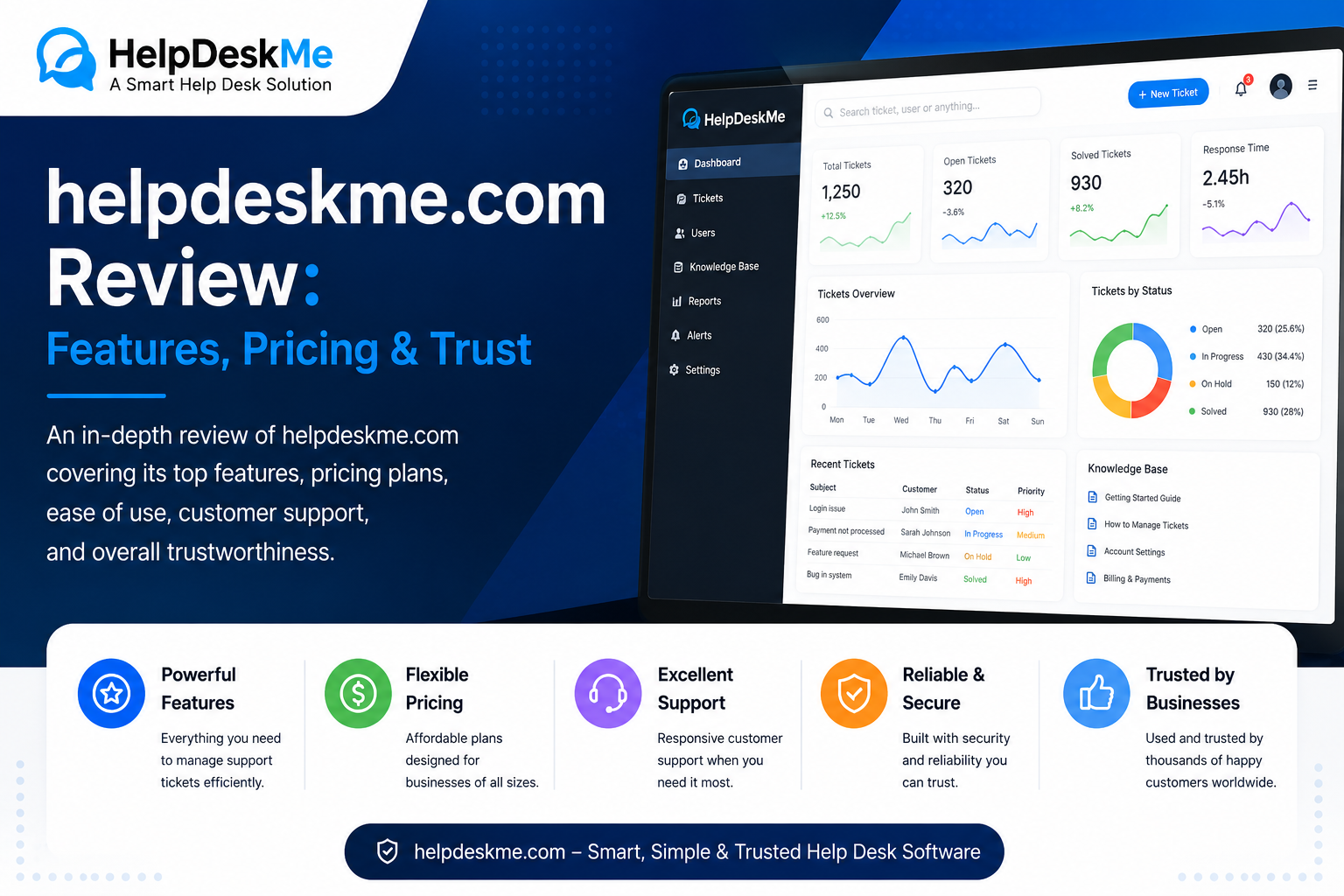
Customer support becomes difficult to manage when requests arrive through email, live chat, social media, and separate internal tools. Tickets get overlooked, agents duplicate work, and customers wait longer than necessary for answers.
helpdeskme.com presents itself as a cloud-based customer-support platform designed to bring those conversations into one organized system. The website promotes ticket management, workflow automation, team collaboration, analytics, omnichannel communication, and self-service tools for businesses of different sizes.
But choosing help-desk software requires more than reviewing a feature list. Businesses should also examine pricing transparency, integrations, security controls, service terms, onboarding requirements, reporting capabilities, and the credibility of the provider.
This guide explains what helpdeskme.com appears to offer, how its main features could support a service team, and what prospective customers should verify before subscribing.
Quick Facts About helpdeskme.com
| Category | Available information |
|---|---|
| Website type | Customer-support and ticketing platform |
| Main purpose | Centralizing, assigning, tracking, and resolving support requests |
| Core tools | Ticket management, automation, analytics, collaboration, knowledge base |
| Communication channels | Email, chat, and social media are mentioned |
| Deployment model | Presented as a cloud-based service |
| Advertised price | $999 per year |
| Trial availability | The website says a free trial is available |
| Intended users | Startups, growing companies, support teams, and enterprises |
| Contact options | Contact form, email address, and phone number |
| Important limitation | Several operational, security, and pricing details require confirmation |
The platform’s public pages describe a support system built around automation and centralized communication. Its features page displays an annual price of $999, while the contact page states that new customers can use a free trial before committing to a paid plan.
What Is helpdeskme.com?
helpdeskme.com describes itself as a ticketing and customer-support solution for teams that need to manage customer questions more efficiently.
Instead of leaving support requests scattered across individual inboxes or communication channels, a help-desk platform converts those messages into trackable tickets. Each ticket can then be assigned, prioritized, updated, escalated, and eventually closed.
According to the website, HelpDeskMe is intended to help businesses:
- Collect customer requests in one place
- Assign tickets to the appropriate team members
- Automate repetitive support activities
- Monitor response and resolution times
- Create self-service articles and FAQs
- Coordinate work through internal comments and shared notes
- View customer-support performance through dashboards
The site positions the platform as suitable for both smaller teams and larger organizations. It also says the system can scale as ticket volume and team size increase.
Understanding the Search Intent Behind helpdeskme.com
The keyword helpdeskme.com has primarily navigational and informational intent.
A person searching for the domain is usually trying to answer one or more practical questions:
- What is helpdeskme.com?
- Is it a help-desk platform or a general information website?
- What features does the service provide?
- How much does it cost?
- Is the website trustworthy?
- How does someone contact the company?
- Is the software suitable for a specific support team?
This means a useful review should not simply repeat marketing statements. It should explain the product’s apparent purpose while identifying the information buyers still need before making a decision.
Main Features Advertised by helpdeskme.com
Smart Ticket Management
Ticket management appears to be the foundation of the platform.
The website says customer queries can be organized, prioritized, assigned, and tracked from one system. It also mentions intelligent routing, which may help send incoming tickets to the most appropriate department or agent.
For example, a company might create routing rules such as:
- Billing questions go to the finance support team
- Technical errors go to product support
- Refund requests receive high-priority status
- Enterprise accounts are assigned to senior agents
- Unanswered tickets are escalated after a defined period
Before relying on this feature, buyers should ask whether routing is based on keywords, customer attributes, ticket forms, service-level rules, artificial intelligence, or a combination of these methods.
Workflow Automation
Automation can reduce the amount of repetitive administrative work performed by support agents.
HelpDeskMe says its workflows can automate ticket assignments, status changes, follow-up messages, reminders, escalations, and closures.
Useful automation examples could include:
- Sending an acknowledgment when a ticket is received
- Assigning tickets according to category
- Alerting a supervisor when a response deadline is approaching
- Reopening a ticket when a customer replies
- Sending a satisfaction survey after resolution
- Closing inactive tickets after a specified period
Automation is most effective when it supports agents rather than creating confusing loops. Every rule should have a clear trigger, action, owner, and exception process.
Team Collaboration
Customer issues often require input from more than one person.
The platform advertises shared notes, internal comments, escalation tools, and collaborative ticket handling. These features are intended to help agents exchange information without exposing internal discussions to customers.
A strong collaboration system should clearly separate:
- Public replies sent to customers
- Private notes visible only to staff
- Ownership changes
- Departmental escalations
- Approval requests
- Mentions and agent notifications
Businesses should test this carefully during a trial. Accidentally sending an internal note to a customer can create privacy, security, and reputational problems.
Omnichannel Support
HelpDeskMe says teams can manage email, chat, and social media messages from one platform.
This could be useful for companies whose customers contact them through several channels. However, “omnichannel” can mean different things depending on the provider.
Prospective customers should confirm:
- Which email providers are supported
- Which social networks can be connected
- Whether live chat is included or sold separately
- Whether conversations from different channels merge into one customer profile
- Whether message history remains visible when a customer switches channels
- Whether WhatsApp, SMS, or phone integrations are available
A centralized inbox is valuable only when the required channels are genuinely supported.
Knowledge Base and Self-Service
The platform promotes a knowledge-base feature for creating help articles and frequently asked questions.
A well-maintained knowledge base can reduce repetitive tickets by helping customers solve straightforward problems independently.
Useful content may include:
- Account setup instructions
- Password-reset guidance
- Billing explanations
- Troubleshooting steps
- Shipping and return policies
- Product documentation
- Service-status information
Buyers should check whether the knowledge base supports custom domains, search analytics, article feedback, user permissions, multiple languages, version history, and search-engine optimization controls.
Analytics and Reporting
HelpDeskMe advertises real-time dashboards for tracking ticket volume, response times, customer satisfaction, and agent performance.
These reports can help managers identify operational problems such as:
- Increasing ticket backlogs
- Slow first-response times
- Frequently reopened tickets
- Uneven workloads
- Common customer complaints
- Products generating excessive support demand
- Articles that fail to answer customer questions
Teams should verify whether reports can be filtered, scheduled, exported, and customized. A dashboard may look impressive while still lacking the detailed data required for management decisions.
How helpdeskme.com Says the Platform Works
The website presents a three-stage implementation process:
- Set up the account and connect existing tools.
- Build automation rules for routing, escalation, and reminders.
- Use dashboards and collaboration tools to manage daily support.
HelpDeskMe claims that teams can begin using the service quickly and that onboarding does not require a complex setup.
Actual implementation time will depend on several factors, including ticket volume, number of agents, communication channels, integrations, data migration, automation complexity, and security requirements.
A small team using one shared inbox may be able to launch quickly. A larger company migrating years of ticket history and building multiple workflows will need a more structured rollout.
helpdeskme.com Pricing
The features page displays a price of $999 per year. The listed package includes smart automation, advanced analytics, omnichannel support, a knowledge base, self-service features, and collaboration tools.
However, the public pricing information does not clearly explain several points that could significantly affect total cost:
- Number of agents included
- Number of inboxes or brands supported
- Monthly ticket or contact limits
- Storage allowances
- Charges for additional users
- Setup or migration fees
- Integration limitations
- Support level included
- Renewal conditions
- Refund or cancellation rules
The contact page states that a free trial is offered, but the visible FAQ does not specify the trial duration or which features are included.
Businesses should request a written quote that includes all expected costs rather than relying only on the headline annual price.
Potential Advantages of helpdeskme.com
Based on its advertised capabilities, the platform may offer several practical advantages.
Centralized Support Operations
Combining customer requests in one workspace can reduce missed messages and make ticket ownership easier to understand.
Reduced Manual Work
Routing, reminders, status changes, and escalations can be automated, allowing agents to spend more time solving actual customer problems.
Better Internal Visibility
Managers may be able to see ticket queues, agent workloads, response times, and unresolved issues without collecting information manually.
Self-Service Opportunities
A knowledge base can answer common questions before customers need to contact an agent.
Potentially Simple Annual Pricing
A single annual price may be easier to budget than a complicated combination of user, channel, and usage fees. However, the exact limits of the advertised package should be confirmed.
Limitations and Questions to Investigate
A responsible review must distinguish between advertised features and independently verified capabilities.
Limited Public Technical Documentation
The public pages provide broad feature descriptions, but detailed technical documentation is not immediately visible. Buyers may need to request information about APIs, webhooks, authentication, data exports, backups, integrations, mobile access, and administrative controls.
Security Details Need Confirmation
The website refers generally to secure data handling and compliance, but prospective customers should request specific documentation covering encryption, data residency, breach response, retention policies, access logs, backups, independent audits, and role-based permissions.
Pricing Details Are Incomplete
The advertised annual price does not clearly show account limits or additional charges. A final purchasing decision should be based on a complete written proposal.
Service Description Appears Inconsistent
The main website presents HelpDeskMe as customer-support software. However, its published Terms of Service describe the company’s services as “digital marketing, consulting, and related services.”
This may be a documentation inconsistency, an outdated legal template, or evidence that the company provides several types of services. Buyers should ask the provider to clarify which terms specifically govern the ticketing product.
Some Claims Require Independent Verification
The site mentions years of experience, thousands of businesses served, strong uptime or satisfaction figures, and major improvements in ticket resolution. These statements appear on the company’s own pages and should be treated as marketing claims unless supported by customer references, case studies, service reports, or independent evidence.
Is helpdeskme.com Legitimate?
helpdeskme.com is an active website with product pages, feature descriptions, a contact page, legal policies, an annual pricing statement, and published contact information. Its privacy policy also lists a physical address in Springfield, Illinois.
Those are useful starting signals, but they do not independently prove product quality, company registration, security maturity, or customer satisfaction.
There are also areas that deserve closer examination:
- The product claims are largely self-published
- Public technical documentation appears limited
- The terms describe services differently from the main product pages
- The contact email shown publicly uses a Gmail address
- Full plan limits are not clearly displayed
- Customer testimonials should be independently validated
It would therefore be inaccurate to label the platform either fully verified or fraudulent based only on its public website. The more reasonable conclusion is that potential customers should complete normal vendor due diligence before providing sensitive data or purchasing an annual subscription.
Due-Diligence Checklist Before Signing Up
1. Request a Live Product Demonstration
Ask the representative to demonstrate real workflows rather than relying on presentation slides.
The demo should include:
- Creating a ticket
- Email-to-ticket conversion
- Automatic routing
- Agent assignment
- Internal notes
- Escalation rules
- Customer notifications
- Reporting
- Knowledge-base management
- Data export
2. Test the Free Trial
Use realistic sample tickets and involve the agents who would use the platform every day.
Evaluate ease of use, performance, notifications, search accuracy, reporting, and workflow reliability.
3. Confirm the Complete Price
Request written confirmation of:
- Included agent accounts
- Additional-user charges
- Ticket limits
- Storage limits
- Integration costs
- Migration fees
- Support options
- Renewal pricing
- Cancellation terms
4. Review Security and Privacy Documentation
Companies handling personal, financial, medical, or confidential customer information should request formal security documentation before transferring real data.
5. Verify Customer References
Ask for references from organizations with similar team sizes, industries, and support volumes.
Useful questions include:
- How long did implementation take?
- Were there unexpected charges?
- How reliable was the system?
- How responsive was technical support?
- Was data migration successful?
- Did automation work as promised?
6. Confirm Data Portability
Make sure tickets, users, articles, attachments, and reports can be exported in usable formats.
A support platform should not make it unnecessarily difficult to move your own operational data elsewhere.
Who May Find helpdeskme.com Useful?
The platform may be worth evaluating for:
- Startups replacing a shared support inbox
- E-commerce businesses managing order questions
- Software companies handling technical support
- Agencies supporting multiple clients
- Remote teams requiring shared ticket ownership
- Growing businesses introducing automation
- Organizations building a customer self-service portal
It may be less suitable for companies that require highly specialized industry compliance, extensive public API documentation, complex enterprise integrations, or independently certified security controls unless HelpDeskMe can provide the necessary evidence during procurement.
Common Mistakes When Choosing Help-Desk Software
Choosing Based Only on the Feature List
Many platforms advertise ticketing, automation, analytics, and omnichannel support. The important question is whether those tools work reliably for your actual processes.
Automating a Broken Workflow
Automation does not fix unclear ownership or poor support policies. It can simply make a bad process operate faster.
Ignoring Agent Experience
Managers often focus on dashboards while overlooking the people who must use the system throughout the day. A complicated interface can reduce adoption and increase errors.
Skipping Data-Export Testing
Do not assume data can be exported simply because an export feature is mentioned. Test the format, completeness, attachments, timestamps, and customer history.
Buying an Annual Plan Too Early
An annual subscription can offer value, but only after the platform has been tested under realistic conditions.
Final Verdict on helpdeskme.com
helpdeskme.com presents itself as an all-in-one customer-support platform combining ticket management, automation, collaboration, analytics, omnichannel communication, and knowledge-base tools.
Its advertised $999 annual plan may attract businesses looking for a straightforward support solution. The availability of a claimed free trial also gives teams an opportunity to examine the platform before making a longer commitment.
However, several important details remain unclear from the public website. Agent limits, integration coverage, security certifications, technical documentation, service-level commitments, and the inconsistency between the product pages and Terms of Service should all be clarified directly with the company.
The most sensible approach is to treat helpdeskme.com as a platform worth investigating rather than one that should be accepted or rejected solely from its marketing pages. Request a live demonstration, complete a realistic trial, obtain written pricing, review the legal terms, and verify security and customer references before purchasing.
