

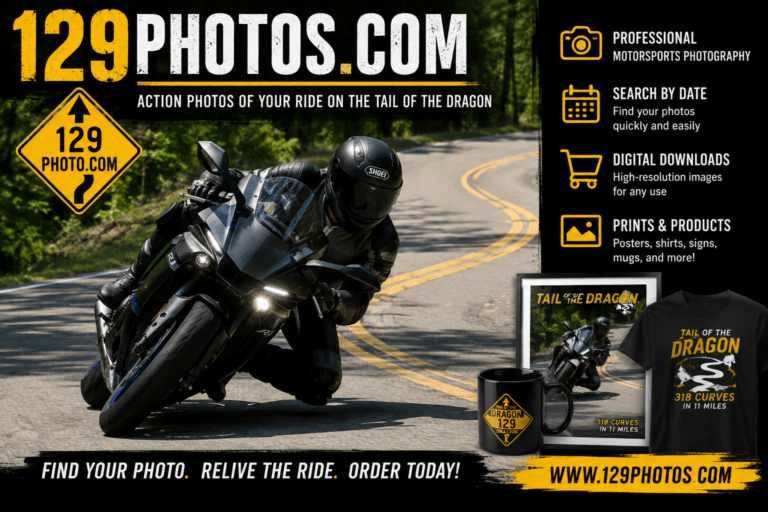
If you recently drove or rode the Tail of the Dragon, searching for 129photos com is often the first step toward finding professional action shots from your trip. The website specializes in motorsports photography, covering vehicles on US 129 as well as selected motorcycle track-day events.
However, locating one specific image among hundreds or thousands of photographs can feel overwhelming. This guide explains what the platform offers, how to search efficiently, which photo format to choose, and what to check before placing an order.
129photos com Quick Facts
| Feature | What to Know |
|---|---|
| Main service | Professional motorsports photography |
| Primary location | Tail of the Dragon on US 129 |
| Other coverage | Cherohala Skyway and selected track events |
| Typical subjects | Motorcycles, sports cars, Jeeps and other vehicles |
| Available products | Digital files, prints, posters, frames and personalized merchandise |
| Best search details | Visit date, approximate time, vehicle type and direction of travel |
| Ordering method | Select images, choose products, add them to the cart and check out |
What Is 129photos com?
129photos com is a photography service focused primarily on capturing motorcycles and vehicles traveling through the Tail of the Dragon. The business identifies itself as a subsidiary of Xtreme Sports Photography and says its photographers work mainly around the 11-mile, 318-curve section of US 129 in eastern Tennessee and western North Carolina.
Instead of arranging a private photo shoot, motorists simply travel along the road while photographers capture them from established shooting positions. Riders and drivers can later visit the online gallery, locate the appropriate date and browse the available photographs.
The platform also provides photography for Sportbike Track Time events. Track-day galleries use a slightly different search process because images may be divided by event date, riding group and individual session.
What Is the Tail of the Dragon?
The Tail of the Dragon is a famous section of US 129 known for its continuous corners and mountain setting. The route contains 318 curves across approximately 11 miles, making it a popular destination for motorcyclists and performance-car enthusiasts.
Photographers are frequently positioned beside the road to capture vehicles leaning, turning or entering a corner. These images can provide a perspective that riders and drivers cannot safely capture themselves while moving.
The experience is not a race or closed-course event. Visitors should remain within their lane, follow posted limits, maintain a safe following distance and prioritize controlled driving over creating a dramatic photograph.
How 129photos com Works
The service follows a straightforward process:
- A photographer captures your vehicle on the road or track.
- The images are organized into an online gallery.
- You locate the date of your visit or event.
- You select the category that matches your vehicle or session.
- You mark the photographs you want.
- You choose a digital, printed or customized product.
- You add the selection to your cart and complete checkout.
The official ordering instructions direct customers to begin with the date of their Dragon visit, select the relevant group, mark preferred images and then choose the desired product before checking out.
How to Find Your Tail of the Dragon Photos
Finding your vehicle is usually the most time-consuming part of the process. Preparing a few details before opening the gallery can make the search considerably faster.
Record the Exact Date
Start with the calendar date on which you traveled through the Tail of the Dragon. Do not rely only on the day of the week, particularly if you were visiting the area for several days.
Check your phone photographs, hotel receipt, navigation history or fuel receipt when you cannot remember the exact date.
Estimate Your Travel Time
Try to identify the approximate hour during which you passed the photographers. Even a broad window such as “between 11:00 a.m. and noon” can eliminate a large number of irrelevant images.
Consider whether you stopped at Deals Gap, a scenic viewpoint, a restaurant or another nearby destination before entering the road. That information may help reconstruct your timeline.
Identify Your Direction of Travel
Remember whether you were traveling north toward Tennessee or south toward North Carolina. Direction can affect the visible side of your vehicle and may help you recognize the correct sequence.
It can also help you determine whether separate sets of photographs show your first pass and return trip.
Note Distinctive Vehicle Details
Look for identifying characteristics such as:
- Vehicle make and model
- Primary body color
- Helmet or riding-suit color
- Headlight configuration
- Windshield shape
- Wheel design
- Decals or racing numbers
- Luggage, saddlebags or top boxes
- Passenger clothing
- A group member riding immediately ahead or behind you
Do not rely entirely on vehicle color. Lighting, shadows, reflections and camera settings can make a dark blue vehicle appear black or a silver vehicle appear white.
Search by Group or Vehicle Type
A gallery may divide photographs into motorcycles, cars, Jeeps, trikes or other categories. Select the category that most closely matches your vehicle before reviewing individual images.
When traveling with a club, search for another recognizable vehicle from the same group. Once you find that vehicle, your photographs may appear nearby in the sequence.
A Faster Photo-Finding Method
Opening every thumbnail at random is inefficient. Use a structured process instead.
Step 1: Scan for Large Visual Markers
Begin by looking for your vehicle’s overall color and shape. Ignore minor details during the first pass.
Step 2: Find Your Group
When traveling with friends, locate the most visually distinctive motorcycle or car in the group. A bright helmet, unusual paint color or large touring windshield can be easier to spot than your own vehicle.
Step 3: Check Neighboring Images
Photography galleries are commonly organized in capture order. Once you find a familiar group member, review the photographs immediately before and after that image.
Step 4: Compare Multiple Features
Confirm at least three identifying details before ordering. For example, compare the model, helmet color and luggage configuration rather than relying on paint color alone.
Step 5: Save Every Strong Candidate
Mark or favorite possible matches before making a final selection. Comparing several images together is easier than repeatedly returning to the full gallery.
Finding Sportbike Track Time Photos
Track-day images require a more precise search because one event may contain several groups and sessions.
The track photography instructions on the site separate prepaid customers from riders who did not prepay. Prepaid users are directed to locate the appropriate event date, enter the code from their receipt and browse session-based galleries. Other customers can open the event date, select an available session and narrow the results using the approximate capture time when that option is available.
Before searching, gather the following information:
- Track name
- Event date
- Riding group
- Session number
- Motorcycle make and color
- Leathers and helmet colors
- Racing number, when applicable
- Approximate time on track
- Prepayment receipt or access code
Complete one session at a time. This prevents similar images from different sessions from becoming mixed together.
Digital Downloads vs. Physical Products
The best purchase depends on how you plan to use the photograph.
| Option | Best For | Main Advantage | What to Check |
| Digital image | Social media, phone wallpapers and personal archives | Flexible and easy to store | Resolution and permitted usage |
| Standard print | Desk, shelf or small wall display | Ready for physical display | Print size and crop |
| Framed photograph | Home, office or garage | Finished presentation | Frame dimensions and material |
| Custom poster | Large wall display or gifts | Strong visual impact | Layout, text and image selection |
| Tumbler or mug | Practical souvenir | Personalized everyday item | Placement and crop |
| Metal sign | Garage or workshop decoration | Durable display format | Final dimensions and design |
| Photo shirt or hoodie | Events and enthusiast gatherings | Wearable keepsake | Garment size and print position |
The website promotes digital images, printed photographs, custom posters, frames, tumblers, mugs, apparel and metal signs. Product availability may change, so review the current ordering gallery before making a decision.
How to Choose the Best Image
The most dramatic photograph is not automatically the best purchase. Consider composition, visibility and intended use.
Check Vehicle Sharpness
Zoom in and inspect the wheels, headlights, helmet and vehicle graphics. A sharp image provides more flexibility for larger prints and custom products.
Look at Body Position
Motorcyclists may prefer an image that clearly shows riding posture, lean angle and eye direction. Drivers may favor a photograph that captures the vehicle entering or exiting a corner.
Choose an image that represents controlled technique rather than one that merely looks aggressive.
Consider the Background
A clean mountain, forest or road background often creates a stronger finished image than a frame containing distracting traffic or roadside objects.
The background also matters when adding logos, borders or custom text.
Review the Crop
Make sure important parts of the motorcycle or car are not uncomfortably close to the edge. A tight crop may look good on a screen but become difficult to use for posters, frames or merchandise.
Compare Similar Frames
Photographers may capture several consecutive images as you approach and pass the camera. Review the entire sequence because a small difference in steering angle, visor position or background can significantly improve the composition.
Choosing a Digital Image
A digital file is usually the most flexible option. It can be stored, shared and potentially used for personal printing, depending on the license provided with the purchase.
Before ordering, confirm:
- Download resolution
- File format
- Watermark removal
- Personal-use permissions
- Social-media usage rights
- Printing permissions
- Commercial-use restrictions
- Download expiration period
- Backup availability
Do not assume that purchasing a file transfers copyright ownership. Photography purchases commonly provide a limited license while the photographer retains the copyright.
Review the digital image release or usage terms associated with the order when you intend to publish the photograph commercially, use it in advertising or place it on branded merchandise.
Choosing a Print or Poster
Physical products work best when the image has a clear subject, enough surrounding space and sufficient resolution.
The website advertises custom 24-by-36-inch posters that may combine one or several photographs with personalized text, event dates and color-matched design elements.
For a stronger poster:
- Select one dominant hero image.
- Limit secondary photographs to the best supporting angles.
- Use a short title rather than a long paragraph.
- Confirm the spelling of names, locations and dates.
- Match design accents to the vehicle’s paint or riding gear.
- Preview the layout at a small size to test readability.
- Request confirmation before printing when customization is involved.
Logos, Borders and Personalization
A plain image usually feels more timeless, while a branded border creates a stronger souvenir from the trip.
The site has offered Tail of the Dragon and Cherohala Skyway logos, dated graphics and multiple border styles. These elements may be included in digital or printed products, depending on the selected option.
Choose personalization based on the intended use:
- For social media: A small, unobtrusive logo is usually sufficient.
- For a framed keepsake: A dated border can add useful context.
- For a garage display: A bold road-sign design may suit the setting.
- For a gift: Add the rider’s name, vehicle model and trip date.
- For long-term display: Avoid excessive text or trendy effects.
Common Mistakes to Avoid
Searching the Wrong Date
Travel days can blend together during a road trip. Verify the date before assuming your images were missed.
Looking Only for Your Vehicle Color
Many riders own motorcycles with similar colors. Use clothing, luggage, decals and nearby group members to confirm your identity.
Ignoring Return-Trip Photos
You may have been photographed more than once. Search both directions and every pass made during the day.
Ordering the First Recognizable Image
Review the full sequence before purchasing. A later frame may have better focus, composition or body position.
Choosing a Product Before Inspecting the Crop
An image suitable for a digital download may not work equally well as a tall poster, wide sign or circular mug design.
Using Screenshots Instead of Licensed Images
Gallery previews may contain watermarks or reduced-resolution files. Purchase the intended file rather than relying on screenshots, which provide poor quality and may violate usage terms.
Assuming Old Prices Are Current
Older indexed pages may display historical prices or promotions. Confirm the amount shown in the active cart because pricing, discounts and product availability can change.
Is 129photos com Legitimate?
The available evidence indicates that 129photos com is an established motorsports photography website with a published business history, contact information, active product pages and an associated social-media presence. The website states that it is based in Tennessee and operates as part of Xtreme Sports Photography.
That does not remove the need for normal online-shopping precautions. Before paying, confirm that you are using the correct domain, check that the checkout connection is secure and review the final price, product description, delivery method and usage terms.
For customized products, save a copy of your selected image numbers, personalization details and payment confirmation.
How to Prepare Before Your Next Dragon Visit
A little preparation can make your next photo search easier.
Make Your Vehicle Distinctive
Temporary, tasteful visual details can make a vehicle easier to identify. A bright helmet, recognizable jacket or small removable decal may stand out in a large gallery.
Do not add anything that blocks lights, plates, visibility or safe vehicle operation.
Record Your Entry Time
Take a screenshot of the time before beginning the route. This creates a reliable reference for later gallery searches.
Keep Your Group Order Consistent
When riding with others, remember who was directly ahead and behind you. Finding one group member can lead you to the entire sequence.
Keep a Safe Pace
Do not accelerate, cross the center line or attempt an unfamiliar lean angle for the camera. The strongest photograph is one that captures a confident, controlled pass.
Make More Than One Pass Carefully
Multiple passes may produce different lighting, backgrounds and angles. Only repeat the route when traffic, weather, energy levels and road conditions make it safe to do so.
Pros and Cons of Roadside Action Photography
| Pros | Cons |
| No private photo session is required | You may need to browse many images |
| Captures natural movement | Weather and traffic affect results |
| Provides professional external angles | A photographer may not be present at every moment |
| Offers digital and physical products | Similar vehicles can be difficult to distinguish |
| Creates a memorable trip souvenir | Older gallery information may not reflect current pricing |
| Group members can be photographed together | Exact poses and backgrounds cannot be controlled |
Frequently Asked Questions
What is 129photos com used for?
It is used to locate and purchase professional photographs of motorcycles, cars and other vehicles captured on the Tail of the Dragon, nearby scenic routes and selected track-day events.
Do I need to book a photography session?
Roadside Dragon photography generally does not require an individual booking. Photographers capture passing vehicles, and customers search the gallery afterward.
Club arrangements, group packages and track-event procedures may follow different terms.
How soon should I look for my photos?
Check after your trip, but allow reasonable time for images to be processed and uploaded. Upload schedules may vary based on the number of photographs, the event and staff availability.
What information do I need to find my images?
The most useful details are the date, approximate time, direction of travel, vehicle type, body color, helmet or clothing colors and the identities of nearby group members.
Can I order images from more than one day?
The website has stated that its digital ordering system can accommodate images from multiple days. Confirm that this option remains available in the current cart before completing checkout.
Are the preview images full resolution?
Gallery previews are generally intended for selection rather than final use. Review the product description to confirm the resolution and format delivered with a purchased digital file.
Can I print a purchased digital photo myself?
That depends on the license or digital image release supplied with the purchase. Check the usage terms before sending the image to a third-party printer.
Can I use the image for my business?
Commercial use may require separate permission. Contact the photographer when the image will appear in advertising, sponsorship materials, product packaging or paid promotions.
What should I do if I cannot find my vehicle?
Recheck the date, search adjacent time periods, explore all relevant vehicle categories and look for other members of your group. When those steps fail, use the contact information provided on the website and include as many identifying details as possible.
Final Verdict
129photos com serves a clear purpose: helping riders and drivers find professional photographs from the Tail of the Dragon and participating motorsports events. Its gallery-based system is especially useful for visitors who want a genuine action shot without arranging a private roadside session.
The best results come from recording your visit date and time, searching systematically, confirming several vehicle details and comparing the entire image sequence before ordering. Once you locate the right photograph, choose a digital file for flexibility, a print for straightforward display or a personalized product for a more distinctive reminder of the trip.
